Offset documentation · All guides
Theme settings reference
All ten Offset settings, their defaults, and where each one appears.
Open the settings
Go to Settings → Site → Design & branding → Customize → Theme. Ghost groups Offset’s settings under Homepage, Post, and Site wide. Preview your changes, then use Save to apply them. Brand controls such as fonts and accent color live in the separate Brand tab.
Homepage settings
Newsletter heading
Text · Default: “A sharp idea, once a week.”
The heading above the inline signup form. Use it to describe the real newsletter offer. This is website copy; it does not set an email subject or delivery schedule.
Newsletter description
Text · Default: “Independent ideas on technology, creativity and culture — delivered without the churn.”
Supporting text beside the signup form. It appears under the same membership and signed-out conditions as Newsletter heading. The form subscribes to Ghost’s default newsletter.
Report title
Text · Default: “The OFFSET Report”
The title of the optional promotional banner. It is visible only when Report url is set.
Report description
Text · Default: “Ideas for building, creating and thinking in the age of intelligent machines.”
Supporting text in the Report banner. Replace it with a description of the page or issue you actually link to.
Report url
Text · Default: empty.
The banner’s link destination and visibility switch. Use a complete URL or root-relative path. Empty means hidden. The theme does not create or validate the destination page for you.
Topic order
Select · Default: Most articles.
Options: Most articles and Newest article. Controls automatic public-tag section ordering on the homepage. See the ordering details, including the JavaScript fallback.
Post settings
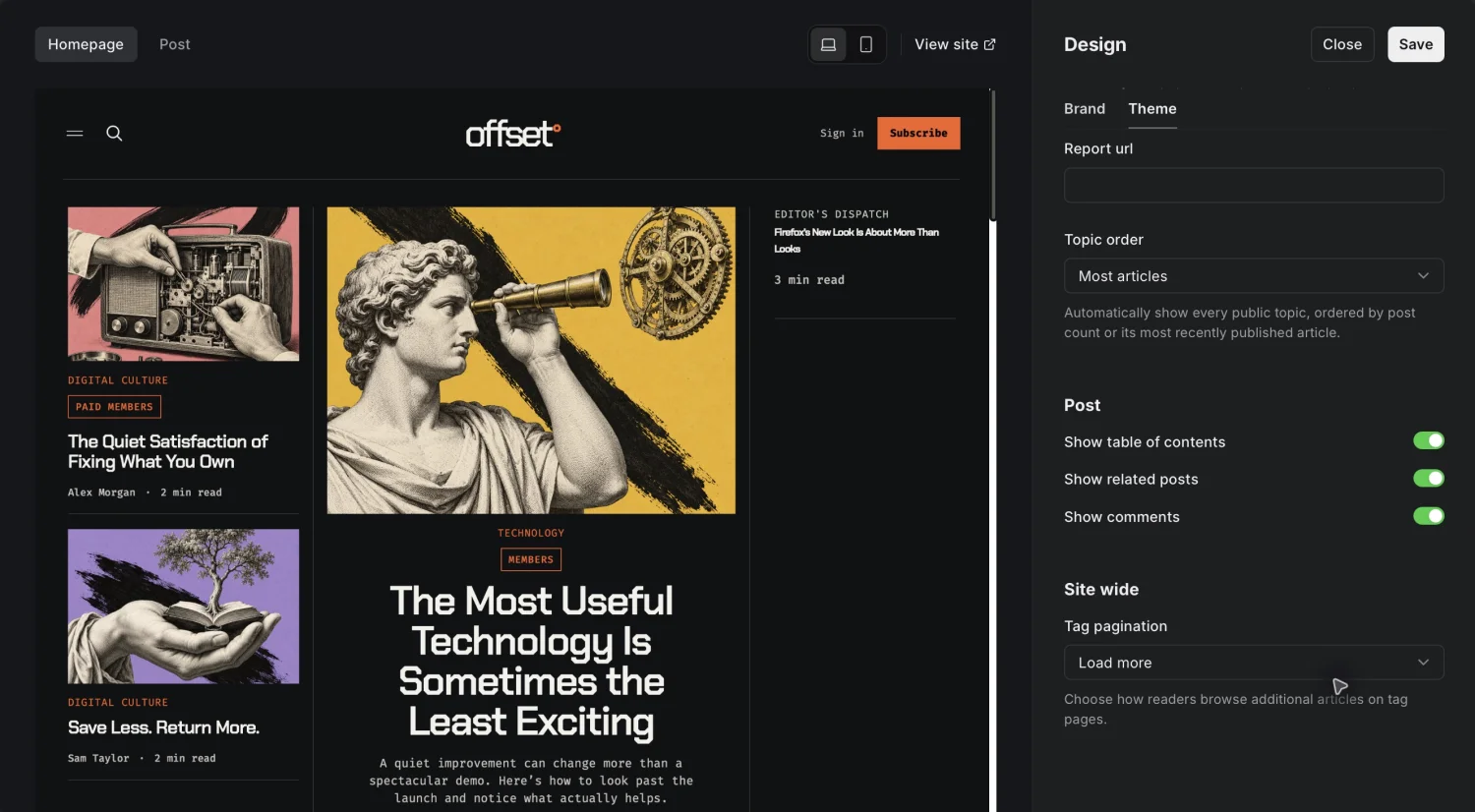
Show table of contents
Boolean · Default: enabled.
Builds a linked article outline from H2 and H3 headings. It appears only when there are at least two eligible headings in the rendered article and JavaScript is enabled. Paywall headings are excluded. See article headings.
Show related posts
Boolean · Default: enabled.
Displays up to three other posts sharing the article’s primary tag. The current article is excluded. The section is absent if there is no primary tag or no matching story.
Show comments
Boolean · Default: enabled.
Allows the native Ghost comments area on articles the reader can access. Ghost’s publication-level commenting policy must also allow comments. This switch does not grant access to protected content or enable a disabled Ghost commenting service.
Site wide settings
Tag pagination
Select · Default: Load more.
- Load more appends the next articles to a tag archive without a full-page navigation when JavaScript is available.
- Pages uses regular numbered page navigation.
Single-page tag archives do not show pagination. Without JavaScript, Load more falls back to regular page links. Author archives retain page links regardless of this setting. Offset’s package sets the standard archive page size to 12 posts; changing it requires editing the theme package.
Settings that belong to Ghost
Publication title, logo, accent color, fonts, navigation, search, metadata, announcement bar, membership access, prices, and newsletter delivery use Ghost’s own controls. Offset has no Content API key field, manual topic picker, homepage quotation field, background-color picker, or light-mode switch.
Use the live demo to compare your settings with a working Offset site.